Infrared Videos
Live Streams
Getting Started with Infrared Photography

What is Infrared Photography? An intro for everyone
This basic introduction to infrared photography is for anyone without prior knowledge of infrared or photography.

Introduction to Infrared Photography
An introduction to Infrared Photography presented live to the Santa Clara Camera Club on April 1, 2021. Questions came from Zoom and were not recorded in the YouTube stream. However, I tried to repeat most of the questions while delivering the answers so that you can follow the context while viewing the recording. More details

How to Shoot and Edit Infrared Photos with ANY Camera
How to shoot and edit infrared photos with any standard DSLR or mirrorless camera with just a tripod and an external filter. No special camera conversion is required. More details

Deep Infrared Shooting & Editing with Your Unconverted Camera using Photoshop and Camera Raw
You can create Deep Infrared images with your existing, unconverted camera. Deep infrared images are shot with a 750 nm or greater filter, typically greater than 800 nm. This covers the equipment you’ll need, settings for shooting, and editing in Photoshop and Camera Raw. Shooting deep infrared with an unconverted camera is ideal for those seeking very long exposures in broad daylight. More details

What camera should I convert to Infrared?
Here are some considerations for deciding what type of camera to convert to Infrared or full-spectrum. At the end of the video, I’ll recommend cameras to have converted. More details

Infrared on iPhone or Any Mobile Phone
How to shoot and edit infrared images on your iPhone or any mobile phone with Lightroom Mobile. More details
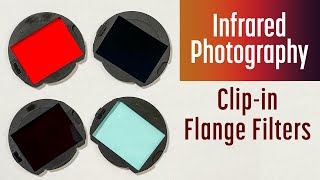
Clip-in or Flange Filters for Infrared Photography
A look at clip-in or flange filters for infrared photography. These are the latest style of filter that sits between the camera sensor and the lens. I’ll discuss the pros, the cons, and my recommendations. More details
Which infrared filter do I have?
How do you know what type of infrared filter you have if you have an unmarked filter or if you purchased a used converted camera? Use this guide to help you identify the type of IR filter you have. More details

Infrared Filter Recommendations - Color Doesn’t Exist Audiobook Sample Chapter
This audiobook sample chapter is from Color Doesn’t Exist: A Practical Guide to Infrared Photography. You can purchase the print, eBook, or audiobook editions at infraredbook.com. More details

Do I need custom profiles for infrared photography?
Discover whether you need custom profiles for your infrared photography workflow. I’ll explore different scenarios, including shooting JPEG, infrared video, monochrome processing, and various raw editors to help you understand when custom profiles are necessary and not. Learn about DNG Custom Profiles (DCP files) and where to find free profiles for over 400 cameras. Whether using high-pass filters or shooting in color or black and white, this video breaks down everything you need to know about c More details

Most Popular Cameras for Infrared Photography 2025
Discover the most popular cameras for infrared photography in 2025! Based on actual demand for infrared profiles, we’ll explore the top infrared cameras from major brands, including Canon, Fujifilm, Nikon, Olympus, Panasonic, and Sony. I’ll also break down the best options across all sensor sizes. Whether you’re looking for a full-frame, APS-C, Micro Four Thirds, or medium-format camera for infrared conversion, this will help you make an informed decision. Find out which cameras photographers tr More details

Which infrared profile should I use?
Which profile should you use to set a white balance for infrared photography? The free Infrared Profile Pack contains two profiles. Let’s review which to use with 550nm, 590nm, 665nm, 720nm, and 830nm filters. More details

Infrared Travel Camera
I converted a compact fixed-lens camera into an infrared travel camera and built a simple grab-and-go kit around it. In this video, I’ll show what’s in my bag (camera, adapters, filters, grip, and accessories), why I chose the camera, and how I narrowed it down to a small set of filters, including the Kolari IR Chrome, plus one for color infrared and one for monochrome infrared. I’ll also walk through the two biggest quirks, hot spots and distortion, and the quick Lightroom Classic fixes I use t More details
Pitfalls of Infrared Photography

5 Pitfalls of Infrared Photography
How to deal with the top pitfalls when shooting and editing infrared photography. More details

Secret to White Balance in Infrared Photography
Addressing some of the misconceptions about setting white balance in infrared photography along with many real-world examples.

More Secrets to White Balance in Infrared Photography
What are the correct white balance settings for Infrared? Should you set white balance in-camera or while editing? How do I set the white balance for 590 nm, 720 nm, B&W infrared, or full-spectrum? I’ll set the white balance on a number of images, in a new way, and with more examples. More details

Creating a Lightroom color profile for Infrared images
Get flexible white balance controls for editing Infrared images in Lightroom by creating a color profile with Adobe DNG Color Profile Editor. It’s easy to create a color profile that can be used in both Adobe Lightroom and Photoshop’s Adobe Camera Raw. More details

Diffraction in Digital Infrared Photography
Is diffraction robbing your infrared images of sharpness? Does diffraction have a bigger impact on infrared images compared to visible light images? I’ll provide tips on avoiding diffraction in your infrared images. More details

How to Fix Hot Spots in Infrared Photos?
Techniques for fixing infrared lens hot spots using Lightroom and Photoshop. More details

Which ƒ-stop is the sharpest? GFX 50S Diffraction Test
How do you determine the sharpest ƒ-stop for your camera and lens? Is diffraction more impactful in infrared light than visible light? In this video, I will test the sharpest ƒ-stop on a Fujifilm GFX 50S full spectrum conversion at each aperture with multiple infrared filters, 550 nanometers, 590 nm, 720 nm, 830 nm, 850 nm, IR Chrome, and a hot mirror filter. I’ll share the results and my observations. More details

Diffraction Calculator
Discover this groundbreaking tool, diffraction.cam, where you can select your camera, filter, and ƒ-stop to identify the optimal settings for avoiding diffraction and achieving razor-sharp images. More details

Secrets of White Balance for Infrared Photography 3: Curves
This demo shows how to set a white balance for infrared images without a profile and without using any white balance or color temperature controls. It uses Photoshop, but it can be done with any raw editor supporting curves. More details

White Balancing Color Infrared Photography
Are you frustrated with red casts and inaccurate white balance in your color infrared images? Most raw editors struggle to handle the unique temperature of infrared light. We’ll walk you through using the free Infrared Profile Pack, which supports over 400 cameras, to achieve golden skies, white clouds, and blue foliage. Learn how to easily adjust your color balance in Lightroom, Lightroom Classic, and Photoshop Camera Raw. Software used: Adobe Lightroom 8.3.1 More details

Secret of White Balance for Infrared Photography 4: Manual & Histogram
How do you set a white balance in your infrared images when there are no color neutral subjects? Let’s walk through setting a white balance manually and using the Histogram to help set a good white balance. More details
Editing Infrared Photography

How to Edit Infrared Photos with Photoshop
How to edit color infrared images with Adobe Photoshop for shots taken with a 590 nm to 720 nm filter on a converted camera or with a 720 nm filter on an unconverted camera. More details

BEST Infrared Workflow for Lightroom, Lightroom Classic, & Lightroom iPad with LUTs
Note: Blog has latest details in this process.
LUTs allow you to save the effect of a Photoshop adjustment layer. By combining this with a white balance profile, you can create a profile to simplify the color infrared workflow for Lightroom, Lightroom Classic, Lightroom Mobile on the iPad, and Photoshop Camera Raw. There are a number of steps to setup this workflow, but once complete, your time spent editing infrared images will be dramatically faster across the entire Adobe ecosystem. More details

Edit Infrared Photography in Lightroom Classic
Editing color infrared photography in Lightroom Classic, including white balancing, color swapping, and the new Lightroom Classic masking tools. These methods work for images taken with a converted camera using a filter from 550nm to 750nm or an unconverted camera with a 720nm filter. More details
FULL EDIT 850nm Infrared Monochrome in Lightroom Classic
Complete edit of an 850-nanometer infrared monochrome image in Adobe Lightroom Classic. This covers profile selection and a variety of advanced masking techniques. This infrared photography process can be applied to any image you wish to render as monochrome or black and white, including those shot with an 830nm, 720nm, and even 590nm filter. More details

100% Lightroom workflow for Infrared Photography
Introducing the new version of my Lightroom Infrared Color Swap Profiles. The new version adds 22 new color swap profiles for each temperature. Do you enjoy using Adobe Lightroom to edit images but are frustrated by the challenges and extra steps required to edit infrared photos entirely within Lightroom? Would you prefer to avoid the round trip to Photoshop and the extra TIF or PSD files? With these profiles, you can color-swap your infrared images directly in Lightroom, Lightroom Classic, and More details
Downloads for Infrared Photography and Video

Free Infrared Profile Pack
Free infrared Lightroom and Photoshop profiles for a variety of cameras. Send me a raw or DNG file from your camera, so that I can increase the number of cameras supported. More details

Photoshop Actions for Color Infrared Editing
An update to my Photoshop Infrared Actions with more color swapping methods for color infrared images. These are designed for infrared images shot with a 470 nm to 720 nm filter. This version includes multiple channel mixer variations for more color options. I’ve included a set of extra actions if you wish to explore beyond the main set. This video does a comparison with a 590 nm color infrared image. More details

LUTs for Infrared Video and Photography
Updated LUTs for Infrared video and photography. LUTs can be used to swap colors in infrared video and with some raw image editors. LUTs can also be used to create enhanced profiles for color swapping in Lightroom. I’ll show you how to create a LUT or you can download my LUTs for free. More details

Lightroom Infrared Color Swap Profiles
Edit your color infrared images directly in Lightroom without a round-trip to Photoshop. You can even white balance after swapping colors! These profiles support images shot with a 550nm to 720nm infrared filter. You can order these profiles or create your own with the links below. More details

darktable Infrared Color Swap Presets
I’ll show you how to install and use my FREE darktable Infrared Color Swap Presets. These include popular channel mixer and hue shift methods for getting blue skies, or any creative color look from your infrared images using darktable. More details

ON1 Photo RAW Infrared Presets Update
Update to my Infrared Presets for ON1 Photo RAW, adding three new color swap methods and expanding the range of AI local contrast options. More details

Infrared Chrome Profile Pack
These free profiles allow you to set a good white balance when using an IR Chrome filter and shooting in raw. They work with all versions of Lightroom and Photoshop. More details

Add Color Infrared Style to Any Image or Video
Transform your visible-light photos, mobile photos, drone footage, or video into the vivid colors of infrared! This LUT and profile pack supports Lightroom and any raw photo or video editor that uses LUTs. It contains six infrared-style color treatments to turn your greenery into vibrant reds, oranges, yellows, golds, magentas, or whites. Each color treatment includes three styles. More details
Infrared Product Reviews

Kolari ND Filters in Infrared Photography
Using Neutral Density (ND) filters within infrared photography, including a look at the Kolari IRND filters and use cases for ND in IR. This video was not sponsored. More details

Kolari Pocket Review
Review of the Kolari Pocket, an affordable point-and-shoot camera converted for full-spectrum and infrared photography. This camera shoots full spectrum photos and has filters available for 590 nm, 665 nm, 720 nm, 850 nm, IR Chrome, and hot mirror. I purchased this camera and the filters with my own money. This video is not sponsored. More details

Kolari Pocket Full Spectrum Camera Preview
Can you shoot infrared photography with a budget point and shoot camera? This is a preview of the Kolari Pocket Full Spectrum camera from Kolari Vision. This is a Canon Powershot ELPH 180 internally converted to full-spectrum and modified to support external filters. External filters including a hot filter for visible light, 590 nm infrared, 665 nm infrared, 720 nm infrared, 850 nm infrared, and Kolari Vision’s IR Chrome for that Kodak Aerochrome-look.

Review of Neewer Infrared lens filter kit
Review of Neewer Infrared lens filters in 720 nm, 760 nm, 850 nm, and 950 nm as used with a 590 nm Infrared converted camera and an unconverted visible light camera.

IR Chrome Infrared Filter Review
A review of the Kolari Vision IR Chrome infrared filter for full spectrum cameras, who it’s for, what cameras it will work with, and what processing is required in editing. This video is not sponsored. More details
The Orange Filter, 550nm Infrared Filter
Shooting and editing infrared images with a 550nm Orange filter. Can you set a custom white balance on green grass, like you can with other infrared filters? Can you color swap images shot with an orange filter? How does it compare with a 590nm infrared cut-off filter? More details
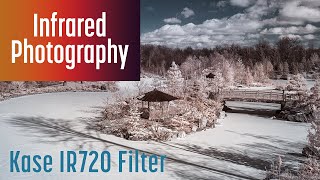
Kase IR720 Infrared Filter Review, Winter Shooting & Hot Spots
A review of the Kase IR720 720nm high-pass infrared filter. I also cover shooting infrared in the winter, fixing hot spots, and the challenges of shooting infrared with some unconverted cameras. More details

White Balance Filter for Infrared? Raw vs JPEG, IR Video, ExpoDisc 3
Do you struggle with white balance in infrared photography? In this video, we explore the ExpoDisc 3, a white balance filter, and its effectiveness for infrared shooting. We’ll compare results using raw, JPEG, and video formats with various infrared filters, including 550nm, 590nm, 720nm, and IR Chrome. Discover how the ExpoDisc 3 performs in challenging white balance situations and learn when it’s most beneficial for infrared photography and videography. More details

Candy Pink Infrared
Discover the enchanting world of Candy Pink Infrared photography. Learn how to achieve stunning cotton candy-like images straight out of your full-spectrum camera using specific filter combinations. We’ll explore the effects of various filters, including 80A, KB-20, X0, and X1, and how they transform foliage and skies into surreal, vibrant landscapes. This video breaks down the techniques behind this unique infrared style, from rich orange hues to dreamy pinks and teals. These filters unlock a n More details

665 nm Infrared Filter
Discover why the 665-nanometer infrared filter might be the only infrared filter you need. This versatile high-pass filter captures red visible light and near-infrared light, giving you incredible flexibility in post-processing. Whether you want to create stunning monochrome images with white foliage and deep blacks, or vibrant color infrared photos with blue skies, the 665nm filter has you covered. Learn how this filter compares to 550, 590, 720, and 780 filters. All images shot with a Fujifilm More details
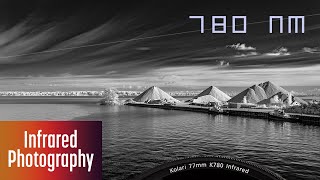
780nm Infrared Filter
The 780 nm infrared filter sits right on the edge of visible and infrared light. Here are my real-world results using the Kolari K780 Pro Slim G3 on a full-spectrum-converted Fujifilm X70, including expected exposure times, how color behaves, and why this filter shines for monochrome images. I also compare the 780 nm look to popular 720 nm and 830/850 nm filters, so you can choose the right one for the kind of infrared images you want. More details

Candy Pink Infrared Photography
Let’s talk about Candy Pink infrared photography, what equipment you need to create this style of infrared photography, what camera settings to use, and how to edit these images. Also, I’ll share some challenges you might encounter when shooting Candy Pink infrared. More details
Infrared Raw Editors

Editing Infrared to B&W with Lightroom
Editing a 590 nm Infrared image of a spiral aloe to black and white using Lightroom.

darktable for Infrared Photography (playlist)
Playlist of videos on editing infrared images in darktable 4, including legacy white balance, modern white balance, color swapping, free color swapping presets, and contrast.

Review of digiKam to edit Infrared photos
digiKam is a free, open-source, cross-platform, RAW image editor, which can be used to edit Infrared photos. This introduction looks at how digiKam can be used in your Infrared photo editing workflow.

Can Exposure X6 edit Infrared Photography?
Using Exposure X6 to edit infrared images, including white balance and color swapping. I’ll cover the pros and cons of using Exposure X6 with infrared. More details

Editing Infrared Photo with Lightroom & Photoshop via Channel Swapping
Editing a 590 nm Infrared photo with Adobe Lightroom Classic & channel swapping in Adobe Photoshop.

How to Edit Infrared Images with Pixelmator Pro
Pixelmator Pro is a raw image editor for the macOS with good support for editing infrared Photography. Here is the process for editing a 590 nm infrared image with Pixelmator Pro. More details

RawTherapee for Editing Infrared Photography
Editing Infrared photos with RawTherapee, a free, cross-platform RAW image editor, with excellent tools for white balance, channel mixer, and color management.

Editing Infrared photo with to B&W Lightroom and Silver Efex Pro
Editing a 590 nm Infrared photo to Black and White with Adobe Lightroom and Silver Efex Pro.

How to White Balance Infrared Images in darktable
The first in a series of videos on darktable. In this video, I’ll show you how to navigate modules in darkroom, the editing space within darktable, and how to set a white balance for infrared images. More details
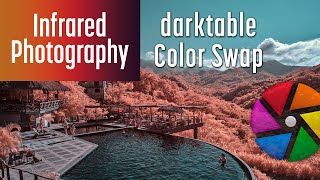
How to Color Swap Infrared Images in darktable
Continuing series on editing infrared images in darktable. In this video, I’ll show you how to swap colors in your infrared images, create presets, and manage darktable’s pesky sliders. More details

Adding Contrast to Infrared Images in darktable
Raw infrared images can lack contrast, and these methods will help restore your image’s contrast while editing in darktable. darktable has many powerful modules for impacting image contrast. More details
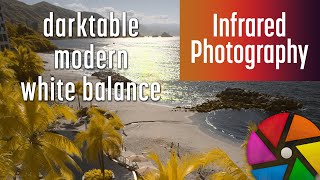
darktable modern White Balance for Infrared Photography
This video explores the modern white balance method for infrared photography in darktable. The legacy method is compared to the modern method with examples of different scenes. The steps to set a white balance using the modern method are demonstrated. The challenges with using channel mixer presets and the solution of creating a new instance of the color calibration module are covered. More details

Can Canon Digital Photo Professional edit Infrared images?
Can Canon Digital Photo Professional 4 be used to edit raw Infrared images? Why would you use DPP instead of another program? How does the image quality compare to Adobe Lightroom Classic or Adobe Camera Raw? What are the pros and cons of DPP? I’ll answer these questions in this video. More details

Photomator for Infrared Photography
Editing infrared photos with the non-destructive raw editor Photomator for the Mac, iPad, and iPhone. How do you set a white balance on infrared images? How do you swap colors with the channel mixer or LUTs? How do you create presets? We’ll also look at Pixelmator Pro for the Mac, a powerful editor for composites. More details
Is Photoshop on iPad ready for Infrared Photography?
Testing Photoshop on the iPad for editing infrared images. More details

ON1 Photo RAW 2024 for Infrared Photography
Using ON1 Photo RAW 2024 to edit color and monochrome infrared photography with white balance, color swaps, and infrared presets. More details
Capture One Pro for Infrared Photography
Editing an infrared image with Capture One Pro. This video looks at the excellent white balance feature in Capture One but addresses the limited color swapping options, as well as the limited mobile options. More details

Best Infrared Raw Editor
Which raw editor is the best for infrared photography? Best ecosystem? Easiest to use? Most affordable? Best for Windows, Mac, or Linux or mobile? Looking at Lightroom, Lightroom Classic, Photoshop, Affinity Photo 2, Canon Digital Photo Professional, Capture One, darktable, DxO PhotoLab, ON1 Photo Raw, Photomator, Pixelmator Pro, and RawTherapee. More details

Luminar Neo for Infrared Photography
Using Luminar Neo for Infrared Photography, setting a white balance, and various methods for swapping colors, including using LUTs. More details

DxO PhotoLab 8 for Infrared Photography
Explore DxO PhotoLab 8’s capabilities for infrared photography. Learn to set a white balance, swap colors, and use LUTs effectively for your infrared images. We dive into new features like enhanced Tone Curves, real-time Noise Reduction previews, and Hue Range Masks. More details

Nikon NX Studio for Infrared Photography
Is Nikon NX Studio good for editing infrared images? Let’s examine how to white balance, swap colors, and add contrast to your infrared images. We’ll also examine some of the challenges of using NX Studio. More details

Affinity for Infrared Photography
Can Affinity from Canva edit infrared photography? In this video, we’ll review the pros and cons, then edit an infrared image using white balance, channel mixing, HSL, channel inversion, LUTs, and color-grading tools. I’ll also cover Affinity’s strengths and limitations. If you’re considering Affinity for infrared photography, this overview will help you decide whether it fits your workflow. More details
Infrared Tips & Tricks

5 Color Swap Methods for Color Infrared Photography in Photoshop
Demonstration of 5 different ways to swap colors for your color infrared photos in Photoshop based on an example shot taken with camera converted with a 590 nm infrared filter.

Invert Layer method for editing color Infrared image in Photoshop and Lightroom
Using the inverted layer and color blend mode method of editing a color Infrared image in Photoshop and Lightroom as an alternative to the Red-Blue channel swap method.

Color Space in Lightroom and Photoshop
Which color space should you use? What is color space and how can it impact the colors of your image? How to use the correct color space in Lightroom and Photoshop. More details

How to add multiple colors to infrared images?
Using Photoshop to add multiple colors to a 590 nm color infrared image with Select and Mask and adjustment layers. More details

New Lightroom Classic Color Grading for Infrared Photography
A tutorial on the new Lightroom Classic Color Grading panel and some examples on processing with infrared images. More details

Secret to Colors that POP in Infrared Photography
In this video, I’ll demonstrate using Subtractive Color to add pop to the primary colors in your infrared images. This is done using Color Balance or Split Toning. I’ll show how to do this with Lightroom, Photoshop, Daraktable, and RawTherapee. More details

Infrared Photo edit with Lightroom Color Calibration
Editing a 590 nm Infrared photography image using Adobe Lightroom focusing on the color calibration tools in the develop module.

10 Ways to Add Contrast to Infrared Images
A variety of ways to add contrast to infrared images with Adobe Lightroom Classic. More details
White Foliage in Infrared Images
How to make foliage white in your color infrared images when using a 590 or 720 nm infrared filter. I’ll cover a few techniques in Photoshop and Lightroom. More details

Infrared Photography at Night
While most infrared photography is shot during the summer months in bright sunlight, you are not limited to shooting infrared during the day or even during the summer. Artificial lights can produce compelling infrared night shots. In this video, I’ll walk through four types of processing infrared images shot with artificial lights. For many scenarios, it is even easier than processing daytime color infrared images. Hopefully, this will inspire you to brave the cold and shoot. More details

NEW Point Color in Lightroom, Lightroom Classic, and Camera Raw
A look at the new Point Color tool for adjusting colors globally and in masks in Adobe Lightroom, Lightroom Classic, and Photoshop Camera Raw. I’ll cover what is in Point Color, how it works, and its limitations. More details
Focus Peaking for Infrared Photography
How to use manual focus assist focus peaking to set a focus manually in infrared photography. Infrared Book: https://www.infraredbook.com Lightroom Infrared Color Swap Profiles: https://590.red/lr-ir-color-swap Infrared Profiles, LUTs, & Presets: https://590.red/profiles Infrared Blog: https://590.red/blog Infrared Newsletter: https://590.red/news Infrared Coaching: https://590.red/coach Diffraction Calculator: https://www.diffraction.cAm Infrared Lenses: https://590.red/lenses Infrared Editors: More details

How to get White Foliage in Infrared Photography
Learn how to get white foliage in your infrared photography. This covers color and black & white with multiple infrared filters, including 850, 830, 780, 750, 720, 665, 590, and 550 nm. We’ll review white balance techniques, editing techniques, and a shortcut for multiple raw editors. I’ll demonstrate using Lightroom Classic, but these techniques can be replicated in many editors. More details

Lightroom Saturation vs Vibrance, What’s the Difference?
See what Adobe says about Saturation vs. Vibrance in Lightroom—and then watch my tests show why the real-world result looks very different. We’ll break down exactly which hues each slider hits hardest using a full-spectrum gradient experiment and side-by-side edits. If you’ve ever wondered which slider to reach for (and why), this video will make it click. More details
Lenses for Infrared Photography

Which Fuji lenses should you use for infrared?
A review of all Fujinon and X-mount lenses for infrared photography and recommendations for the best X-mount lenses to use when shooting infrared. More details Updates!

Infrared with Vintage Budget Prime Lenses
Shooting Infrared with two budget vintage prime lenses, the Soligor Wide-Auto 35mm f/2.8 and the Soligor Tele-Auto 135mm f/2.8. More details

Ultra-thin cap lens for Infrared Photography
Pros and cons of shooting infrared images with the 7artisans 18mm f/6.3, a fixed focal length, fixed aperture, and fixed focus lens. It’s super small, but will it work for infrared? This lens is available for Canon EF-M mount, Sony FE & E mounts, Fujifilm X mount, and MFT mount. More details

Infrared Photography with vintage Nikon 24mm
Color infrared photography with a vintage Nikon Nikkor-N 24mm f/2.8, adapted to mirror-less camera converted to infrared, a Fujifilm X-T20 converted to 590 nm. I’ll edit an infrared image shot with this lens, with a focus on lens corrections and spot removal. More details

Infrared with vintage Canon FD 24mm f/2.8
Shooting and editing infrared images using a vintage Canon New FD 24mm f/2.8 lens adapted to a Fujifilm X-T20 camera converted to 590 nm. More details

Minolta Rokkor-X 45mm ƒ/2 for Infrared Photography
The Minolta Rokkor-X 45mm ƒ/2 is a small vintage lens ideally suited to infrared photography due to its lack of hot spots. Color images were shot with a Fujifilm X-T20 590 nm conversion. Monochrome images were shot with a Fujifilm GFX50S full spectrum conversion and an STC Optics 850 IRP filter. More details
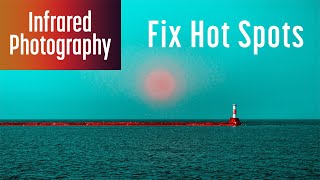
Fixing Infrared Hot Spots with the Fujifilm GF 35-70mm ƒ/4.5-5.6 WR
Correcting mild infrared hot spots with the Fujifilm GF 35-70mm ƒ/4.5-5.6 WR using Lightroom Classic. These techniques could also address mild hot spots from other lenses and most raw editors. More details
Printing

How to Fix Printed Colors in Color Infrared Photography
How to use Lightroom’s Soft Proofing to ensure that colors print properly. This will show you how to fix out of gamut colors so that they print correctly with your printer or third-party print service. These tweaks will help you pull colors into gamut, without impacting the perceptual saturation of your image. You can also use these techniques to get the most saturation out of your images while keeping the colors within gamut. More details

How to print black and white photos in Lightroom
If your printed photos don’t match what you are seeing on your monitor, this workflow can help. I’ll show you how to configure Adobe Lightroom so that your screen matches prints from your printer or third-party print service by using Soft Proofing and ICC Profiles. More details
Infrared Film

Shooting Infrared FILM with Rollei Infrared
Shooting a roll of Rollei Infrared 400 black and white negative film with a Hoya R72 filter and reviewing the images. If you are interested in shooting infrared film, this walks through the considerations. More details
Ultraviolet

Ultraviolet Portraits
Shooting portraits in Ultraviolet light using a Full Spectrum camera and a UV bandpass filter. This video is not sponsored. More details